Food · A drawing idea for little artists
How to Draw an anime bento box: Tray Perspective and Food Compartments
Explore anime bento box through four selected drawing stages. Focus on tray perspective and food compartments and a textured crayon finish.
For iPad & iPhone · In-app purchases
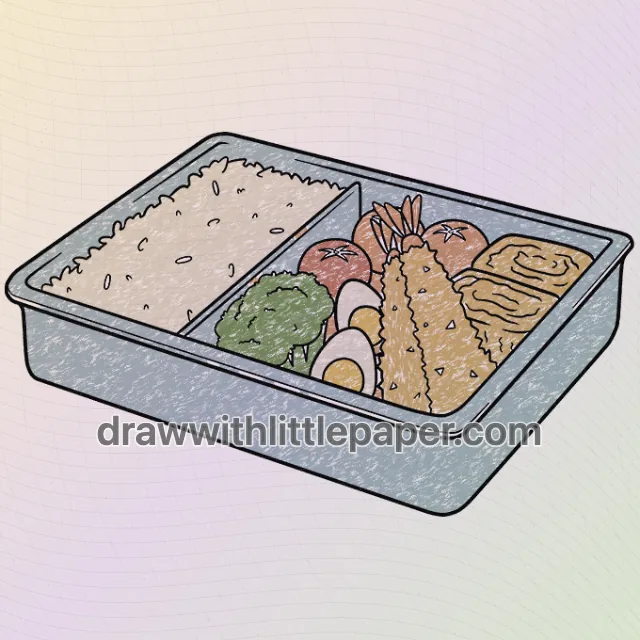
These 4 pictures show selected moments from the drawing. For every step in between and a guide on your canvas, get the full lesson in LittlePaper.
What you will learn
Practice anime bento box with attention to tray perspective and food compartments.
Shapes and proportions
Keep the tray corners in one perspective and arrange the food inside separate compartments.
A common mistake
Food outlines passing through the rim flatten the container.
How to fix it
Draw the tray rim first and stop food shapes at its inside edge.
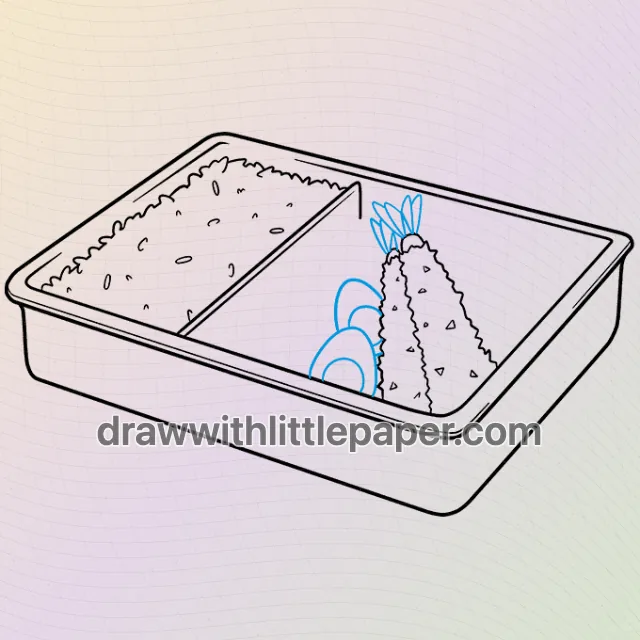
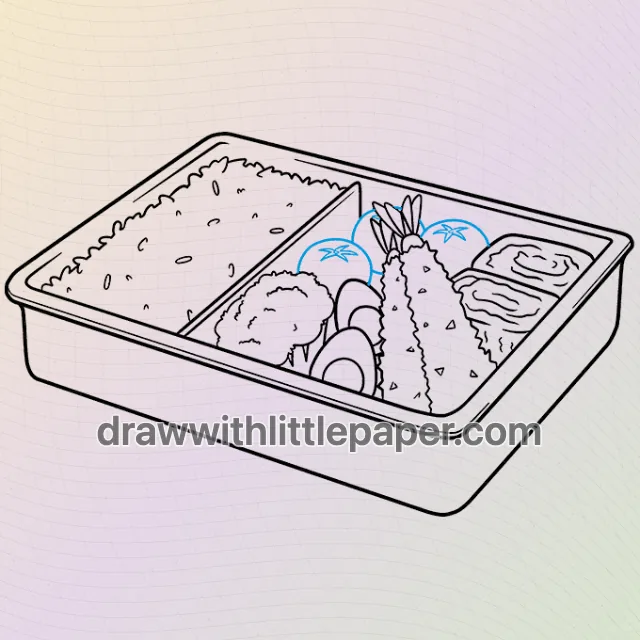
This anime bento box study focuses on tray perspective and food compartments. Keep the tray corners in one perspective and arrange the food inside separate compartments. The exercise is about keeping these visible shapes readable before adding small marks or color.
These are four selected stages, not a complete stroke-by-stroke sequence. Blue guide lines mark additions in the source images. Compare the pictures for the overall shape changes; use the complete LittlePaper lesson for the smaller steps between them.
A few things to start with
Paper, a pencil and crayons matching the example. Leave room around the drawing for proportion checks before making the outlines darker.
A little peek at the drawing
1 / 4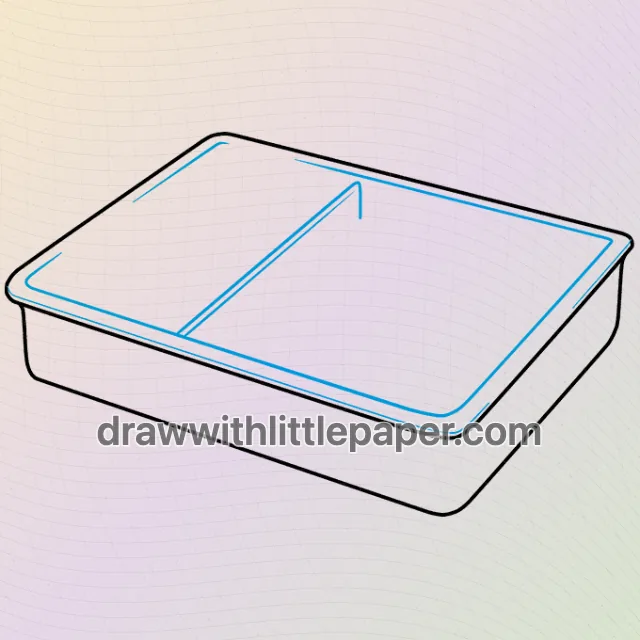
Selected stages · The complete drawing sequence is in the app.
Shapes, character & color
A look at the drawing stages.
Try the shape tips below on paper. When you’re ready to draw along with each small step, continue in LittlePaper.
- 01Selected stage
Selected stage 2: early shapes
This picture shows source stage 2 of 8 for anime bento box, not the next single stroke. Keep the tray corners in one perspective and arrange the food inside separate compartments. Compare its unfinished edges with the complete outline shown later.
Selected stage 2: early shapes · Preview image 1 of 4 - 02Selected stage
Selected stage 5: building the outline
This picture shows source stage 5 of 8 for anime bento box, not the next single stroke. Draw the tray rim first and stop food shapes at its inside edge. Compare its unfinished edges with the complete outline shown later.
Selected stage 5: building the outline · Preview image 2 of 4 - 03Selected stage
Complete outline: tray perspective and food compartments
Compare the finished anime bento box outline with the earlier selected stages. Food outlines passing through the rim flatten the container. Draw the tray rim first and stop food shapes at its inside edge.
Complete outline: tray perspective and food compartments · Preview image 3 of 4 - 04Selected stage
Crayon color: cream white, blue-gray, green, warm red, warm orange
Use the colored anime bento box example to compare the palette after checking the outline. The visible palette includes cream white, blue-gray, green, warm red, warm orange. Keep repeated parts consistent and let small light flecks preserve the crayon texture.
Crayon color: cream white, blue-gray, green, warm red, warm orange · Preview image 4 of 4
A little practice goes a long way
Make room for your own ideas.
The example uses cream white, blue-gray, green, warm red, warm orange. Keep matching limbs and repeated parts in a consistent palette. Use light overlapping crayon strokes so the inner outlines stay visible. Draw the tray rim first and stop food shapes at its inside edge.
The next little step is yours
Like the idea?
Let’s make it together.
Open the “How to Draw Anime Food” drawing idea in LittlePaper for the complete sequence. Follow a guide, pause when you need, and add your own colors.
Download LittlePaper from the App Store, then open the drawing idea inside the app.
Every step, at your pace.
See the full drawing sequence. Pause, replay, and take another look whenever a shape needs practice.
A guide where you draw.
Trace on the canvas, then try your own lines with a finger or Apple Pencil on a compatible iPad.
Make it yours. Keep the making.
Add crayon color, replay your creation, and give your picture a home in a digital 3D book.