Animals · A drawing idea for little artists
How to Draw a Kawaii Axolotl with a Curved Tail
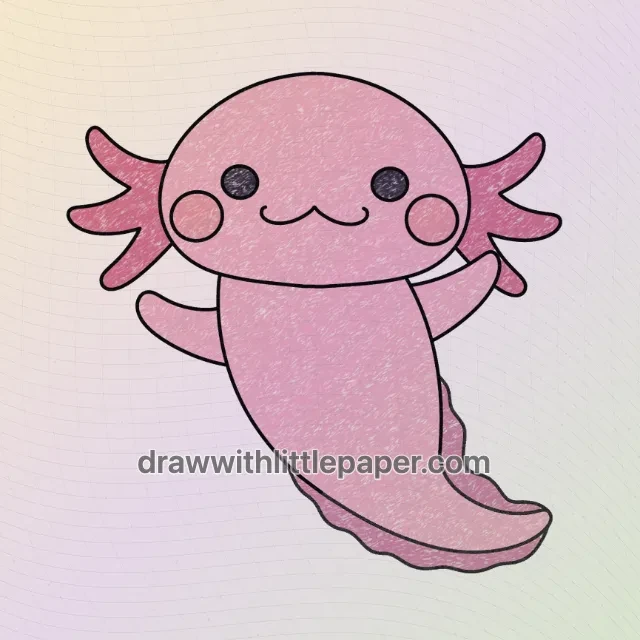
A broad oval head, three rounded gill branches on each side and a sweeping pink tail.
For iPad & iPhone · In-app purchases
These 4 pictures show selected moments from the drawing. For every step in between and a guide on your canvas, get the full lesson in LittlePaper.
What you will learn
Balance a large, low oval head with a smaller body, then carry one smooth curve into the tail. Matching arms and gills keep the character visually balanced.
Shapes and proportions
Make the head wider than it is tall. Put both eyes at a similar height, keep the cheek circles below them and leave room outside the head for three rounded gill branches per side.
A common mistake
A pinched neck or a sharp corner at the tail makes the body look detached. Crowding the gills against the cheeks hides the wide-head silhouette.
How to fix it
Lightly extend the body from beneath the head before turning the tail. Round off sudden corners and compare the space occupied by the gills on both sides before darkening the outline.
Learn how to draw a kawaii axolotl by balancing a broad oval head above a smaller, curved body. This cartoon uses rounded gill branches and short raised arms, so the friendly silhouette comes before tiny details.
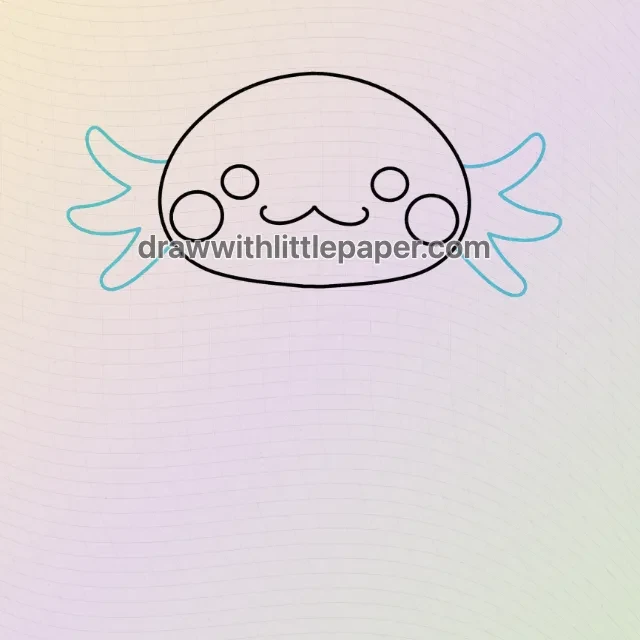
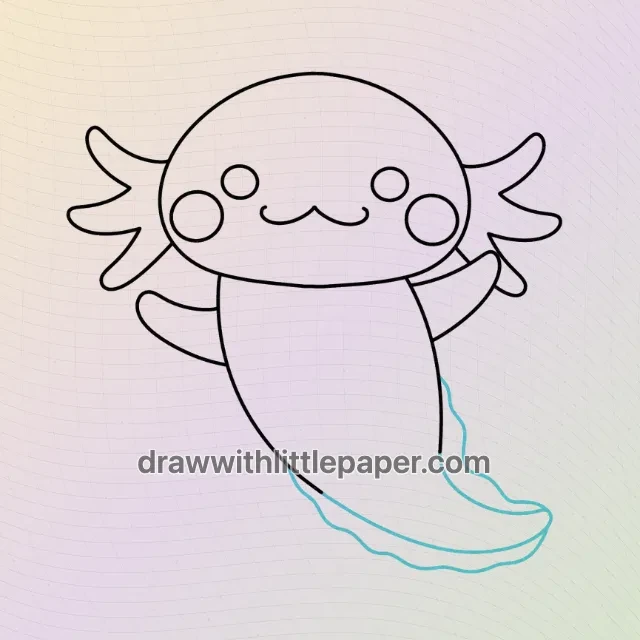
These four selected stages show the face, side gills, complete outline and a new pink crayon finish. They skip intermediate drawing stages. Practice the head proportions and tail curve here; find the complete nine-frame sequence in LittlePaper.
A few things to start with
Paper, pencil, eraser, pink and rose crayons; or the drawing tools in LittlePaper.
A little peek at the drawing
1 / 4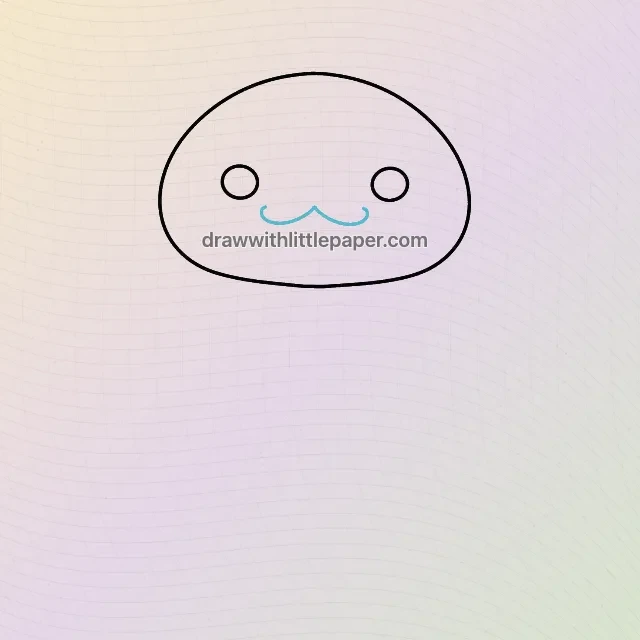
Selected stages · The complete drawing sequence is in the app.
Shapes, character & color
A look at the drawing stages.
Try the shape tips below on paper. When you’re ready to draw along with each small step, continue in LittlePaper.
- 01Selected stage
Place the eyes and smile inside a wide head
Start with a low, wide oval. Set the two eyes at a similar height with room between them, then place the small curved smile below. Compare the face spacing before adding the outside gills.
Place the eyes and smile inside a wide head · Preview image 1 of 4 - 02Selected stage
Balance the cheek circles and rounded gills
Place a cheek circle below and outside each eye. Add three rounded gill branches on each side of the head. Give both clusters similar overall space rather than squeezing one against the cheek.
Balance the cheek circles and rounded gills · Preview image 2 of 4 - 03Selected stage
Connect the body, raised arms and curved tail
In this selected later stage, the body drops from beneath the head and bends smoothly toward the tail tip. Keep both arms short. Separate the narrow fin border from the main tail, preserving the small gap beside the raised arm.
Connect the body, raised arms and curved tail · Preview image 3 of 4 - 04Selected stage
Finish with consistent pink crayon colors
Use one pale pink across the head, body and both arms. Apply matching rose to the gills, a darker pink to the fin and dark color to both eyes. Keep the arm-side gap clear; light crayon flecks create texture.
Finish with consistent pink crayon colors · Preview image 4 of 4
A little practice goes a long way
Make room for your own ideas.
Use the same pale pink for the head, body and both arms. Give both gill clusters a matching deeper rose and distinguish the tail fin with a slightly darker pink. Leave the small gap beside the raised arm uncolored.
The next little step is yours
Like the idea?
Let’s make it together.
Open the “Kawaii Axolotl: Rounded Head and Curved Tail” drawing idea in LittlePaper for the complete sequence. Follow a guide, pause when you need, and add your own colors.
Download LittlePaper from the App Store, then open the drawing idea inside the app.
Every step, at your pace.
See the full drawing sequence. Pause, replay, and take another look whenever a shape needs practice.
A guide where you draw.
Trace on the canvas, then try your own lines with a finger or Apple Pencil on a compatible iPad.
Make it yours. Keep the making.
Add crayon color, replay your creation, and give your picture a home in a digital 3D book.