Fantasy · A drawing idea for little artists
How to draw a cute dragon: a round belly and paired small wings
First determine the front face shape with round head and pointed chin.
For iPad & iPhone · In-app purchases
These 3 pictures show selected moments from the drawing. For every step in between and a guide on your canvas, get the full lesson in LittlePaper.
What you will learn
Practice this visual check: Using the midline of the belly as a reference, first compare the heights of the feet and wings, and then fill in the claws and wing bones.
Shapes and proportions
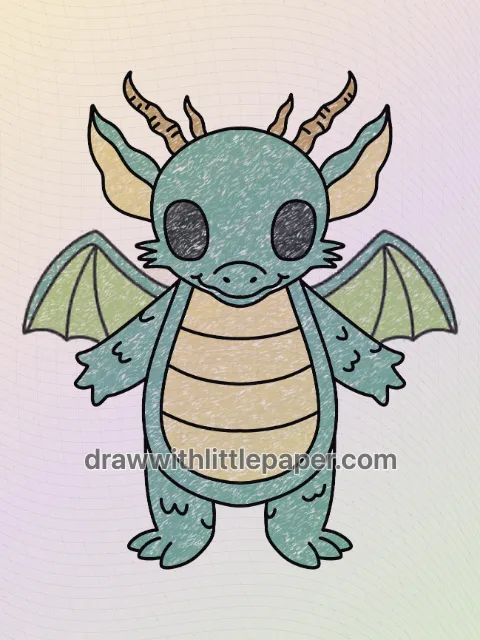
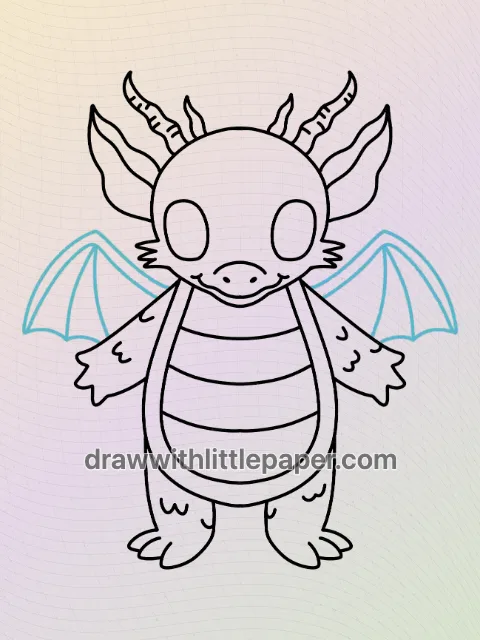
First determine the front face shape with round head and pointed chin. Round eyes are distributed on the face, and horns and ears are added to the left and right sides of the head; a vertical oval belly is connected to the bottom, and short arms, feet and small wings are added along both sides.
A common mistake
If the size difference between the left and right wings and limbs is too great, the front-facing dragon will be tilted to one side.
How to fix it
Using the midline of the belly as a reference, first compare the heights of the feet and wings, and then fill in the claws and wing bones.
These three images are key-stage previews: the starting shape, the completed outline, and a new crayon color study. Follow the complete drawing sequence in LittlePaper. On paper, leave room around the first shape for the parts added later.
A few things to start with
Paper, pencil or black drawing pen, eraser, and crayons or colored pencils for color matching for this lesson.
A little peek at the drawing
1 / 3
Selected stages · The complete drawing sequence is in the app.
Shapes, character & color
A look at the drawing stages.
Try the shape tips below on paper. When you’re ready to draw along with each small step, continue in LittlePaper.
- 01Selected stage
Position the basic shape first
First determine the front face shape with round head and pointed chin. Observe the position of the starting shape on the paper, leaving space for subsequent outlines and additional components.
Position the basic shape first · Preview image 1 of 3 - 02Selected stage
Connect profiles and arrange parts
Round eyes are distributed on the face, and horns and ears are added to the left and right sides of the head; a vertical oval belly is connected to the bottom, and short arms, feet and small wings are added along both sides. Using the midline of the belly as a reference, first compare the heights of the feet and wings, and then fill in the claws and wing bones.
Connect profiles and arrange parts · Preview image 2 of 3 - 03Selected stage
Select the color of the part to complete the crayon draft
The trunk and paired limbs of the dragonet are green, the abdomen is creamy yellow, the wings are light green, and the two corners are golden brown. Apply the color first with light pressure, leaving the black outline, and then compare pairs of parts using the same color.
Select the color of the part to complete the crayon draft · Preview image 3 of 3
The next little step is yours
Like the idea?
Let’s make it together.
Open the “How to Draw a Cute Dragon” drawing idea in LittlePaper for the complete sequence. Follow a guide, pause when you need, and add your own colors.
Download LittlePaper from the App Store, then open the drawing idea inside the app.
Every step, at your pace.
See the full drawing sequence. Pause, replay, and take another look whenever a shape needs practice.
A guide where you draw.
Trace on the canvas, then try your own lines with a finger or Apple Pencil on a compatible iPad.
Make it yours. Keep the making.
Add crayon color, replay your creation, and give your picture a home in a digital 3D book.